Logging on to OOD Desktop
First, log in to the Open OnDemand portal and navigate to ‘Desktop’.
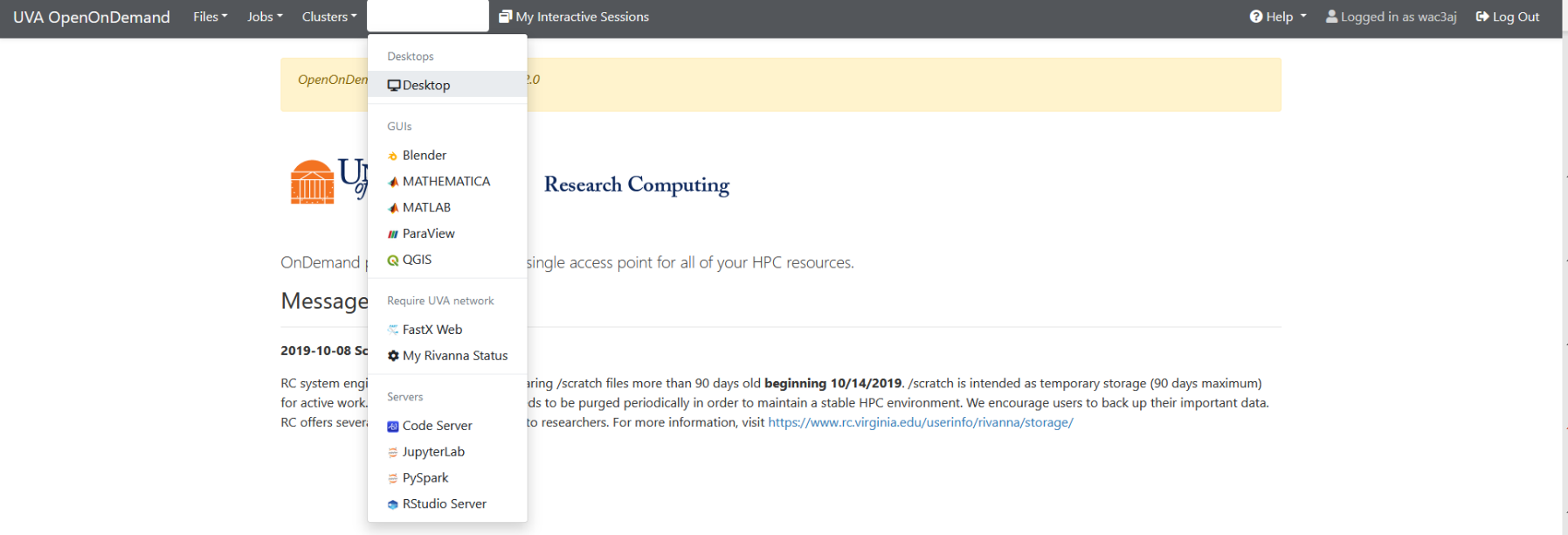
From there, you can launch a Desktop session on Rivanna.
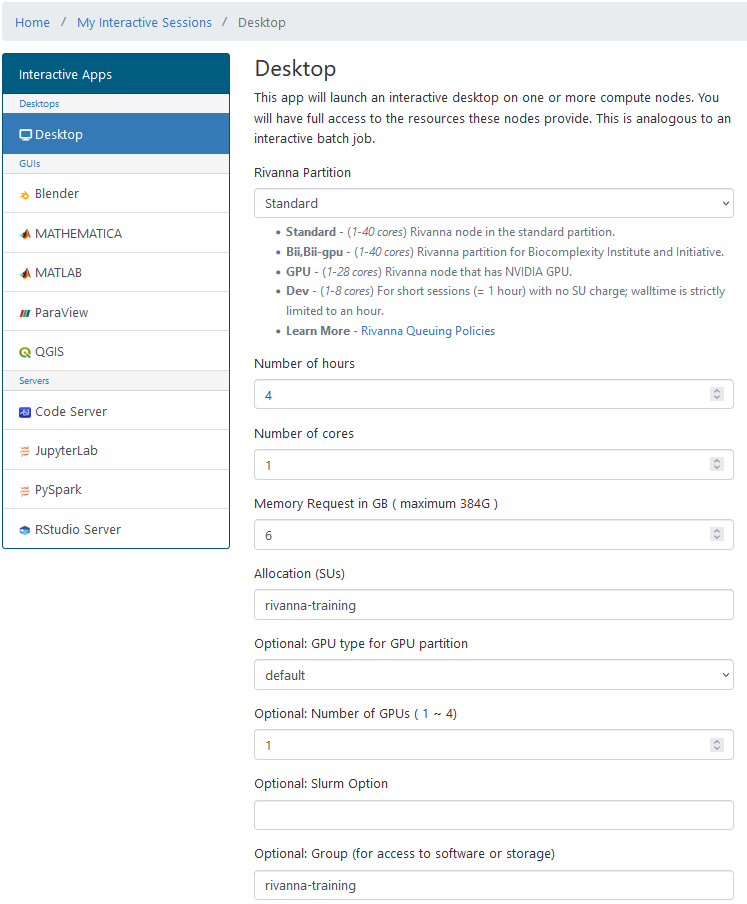
Choose your desired resources (cores, memory, time, etc.).
Note: You must have a valid allocation to launch a job.
The rivanna-training allocation is no longer supported for AlphaFold jobs.
If you are part of a lab or course, use the allocation provided to you (e.g., yourgroup-allocation).
If you’re unsure what to use, contact your PI or the RC support team for help.
Once your session is ready, click the blue “Launch Desktop” button.
You’ll be placed in a Linux environment like this:

Use the MATE Terminal to run commands or load software modules.