Interactive Computing
Interactive HPC computing involves real-time user inputs to perform tasks on a set of compute node(s) including:
- Developing code, exploring data in real-time, and creating visualizations
- Running applications with large datasets when data is too large to download to a local device or when software is difficult to install
- Receiving user inputs via a command line interface or application GUI (Jupyter Notebooks, Matlab, R-studio)
- Performing actions on remote compute nodes as a result of user input or program output
Interactive Jobs
Most HPC sites, including UVA’s, restrict the memory and time allowed to processes on the frontend. The basic SLURM command to request interactive resources is salloc. However, it requires several options to work well, so we have a local script called ijob. ijob takes the same arguments as the SLURM command salloc.
ijob -c 1 -A myalloc -t <time> --mem <memory in MB> -p <partition> -J <jobname>
ijob is a wrapper around the SLurm commands salloc and srun, set up to start a bash shell on the remote node. The options are the same as the options to salloc, so most commands that can be used with #SBATCH can be used with ijob. The request will be placed into the queue specified:
$ ijob -c 1 -A mygroup -p standard --time=1:00:00:00
salloc: Pending job allocation 25394
salloc: job 25394 queued and waiting for resources
There may be some delay for the resource to become available.
salloc: job 25394 has been allocated resources
salloc: Granted job allocation 25394
For all interactive jobs, the allocated node(s) will remain reserved as long as the terminal session is open, up to the walltime limit, so it is extremely important that users exit their interactive sessions as soon as their work is done so that the user is not charged for unused time.
Application Examples
Jupyter-lab
module load gcc jupyter_conda/.2020.11-py3.8
jupyter-lab &
Rstudio
module load goolf/11.2.0_4.1.4 R/4.2.1 rstudio
rstudio &
MATLAB
module load matlab/R2023a
matlab &
Constructing Resource-Efficient SLURM Scripts
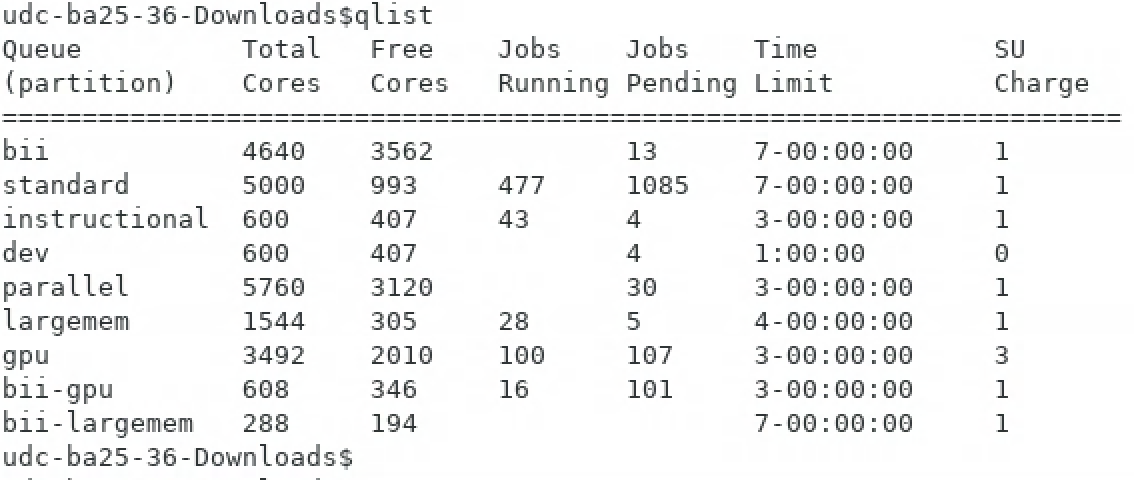
Monitoring Rivanna queues: qlist
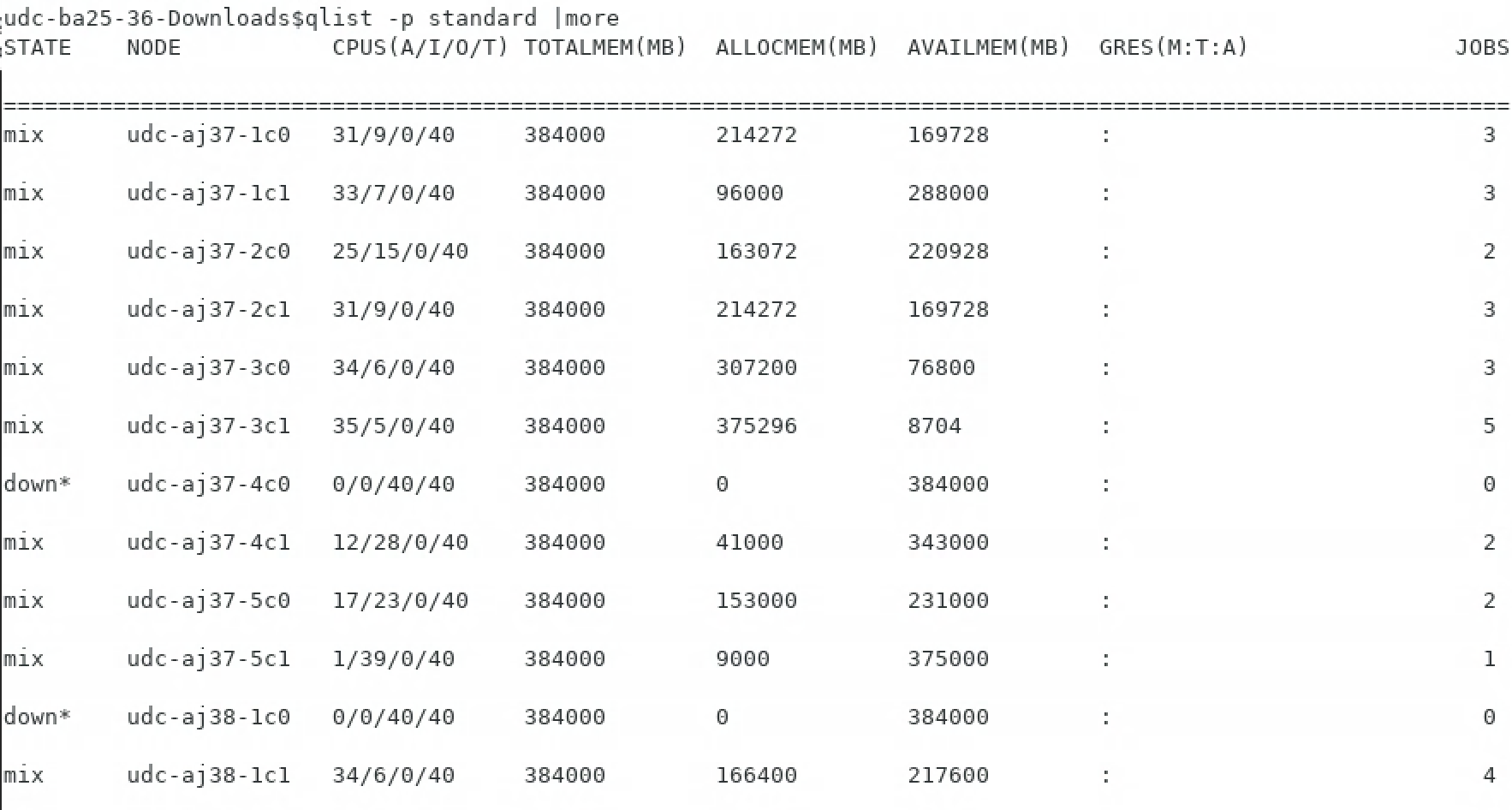
Monitoring specific queues: qlist -p
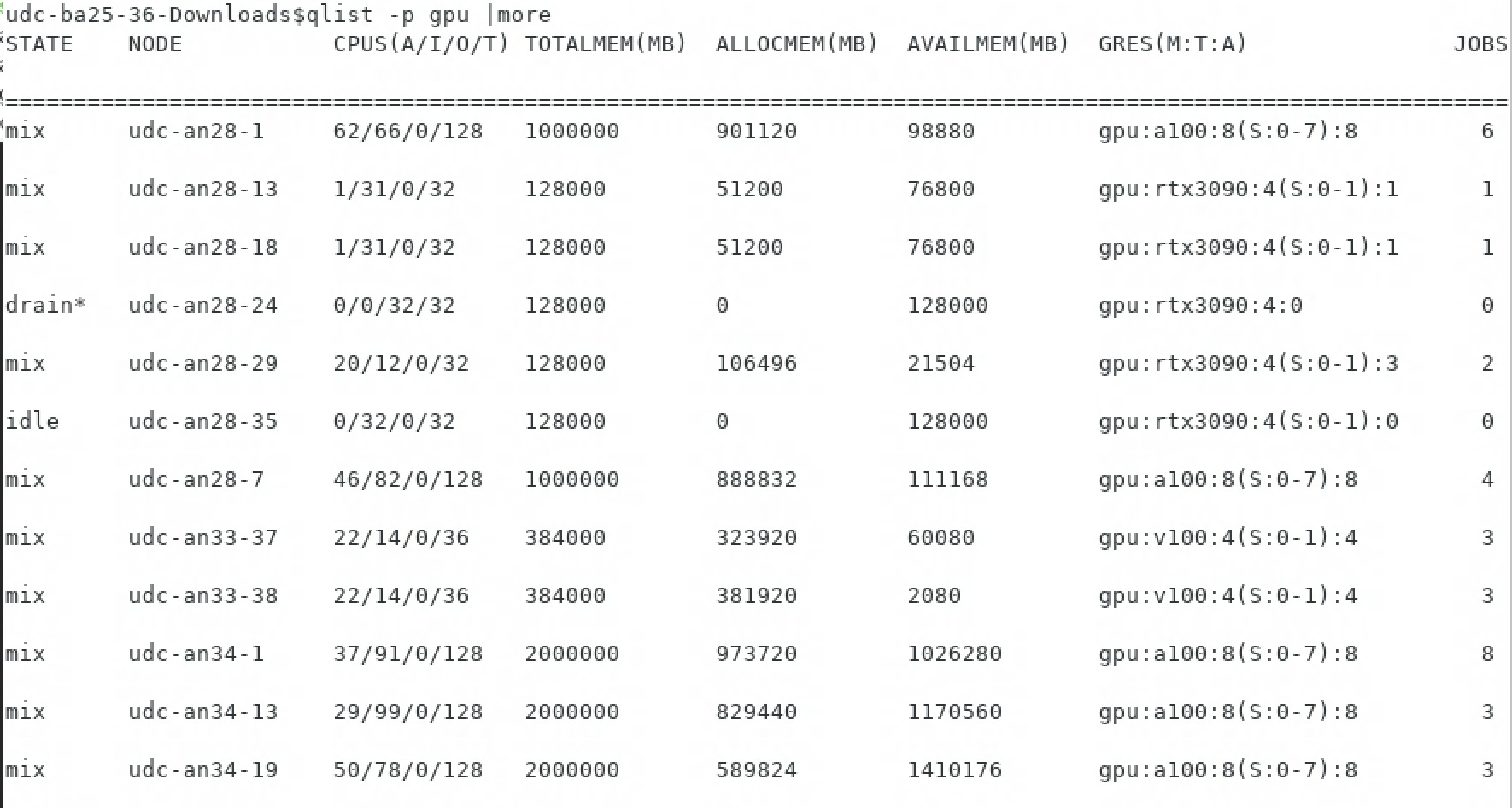
Monitoring specific queues: qlist -p
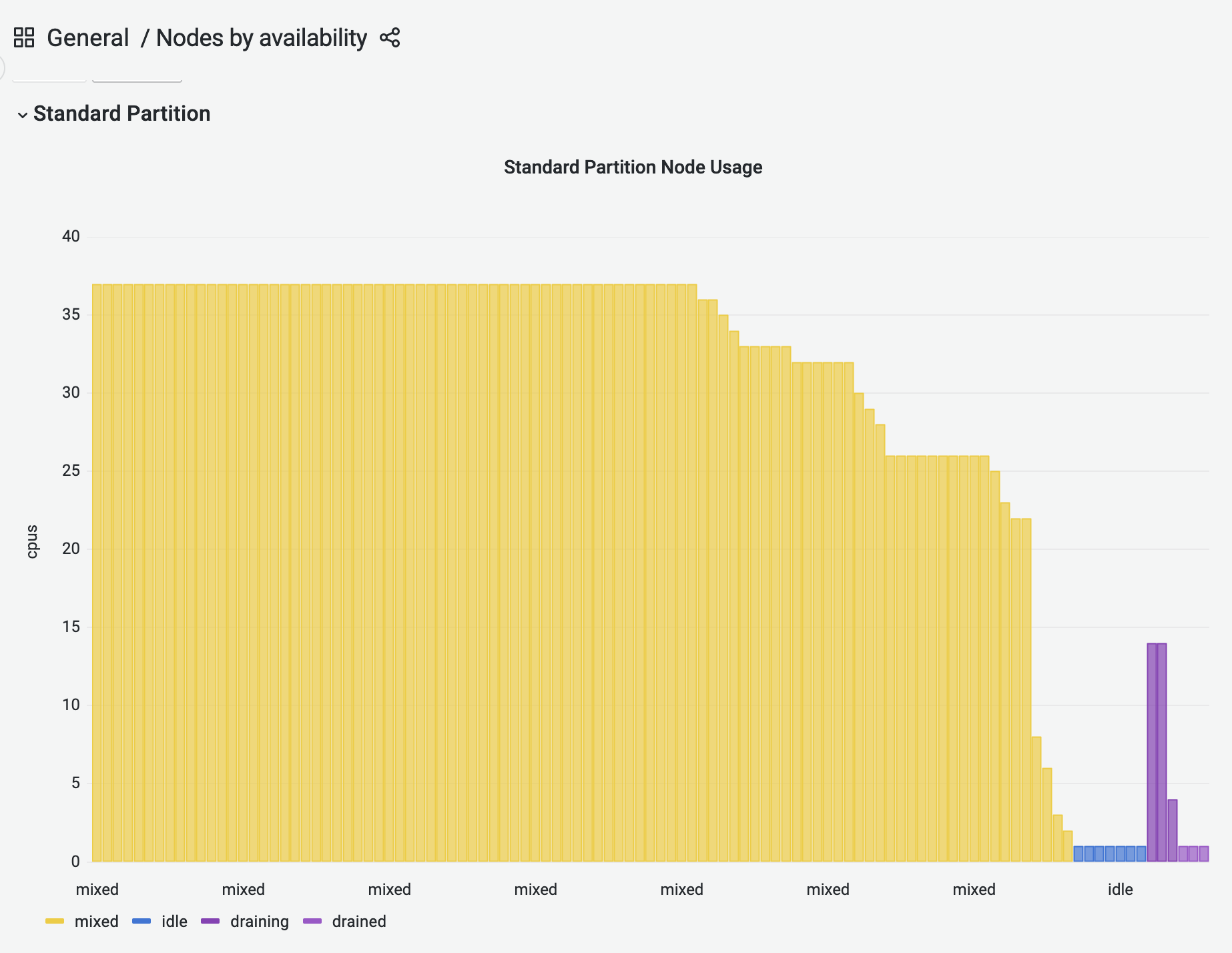
Partition node usage display:
Want to know the strategy for submitting jobs to busy queues? Request fewer cores, less time, or less memory (and corresponding cores). It’s also important to know exactly what compute/memory resources your job needs, as detailed in the seff output.