Linux Shell Scripting
Introduction
Shell scripts are programs that are executed by the Linux shell. They can contain comments, simple commands, and programming constructs for loops, branches, variable assignment, and more. Scripts can be run in three ways:
- make the script executable (e.g.
chmod 755 script.sh), then./script.sh source script.sh. script.sh
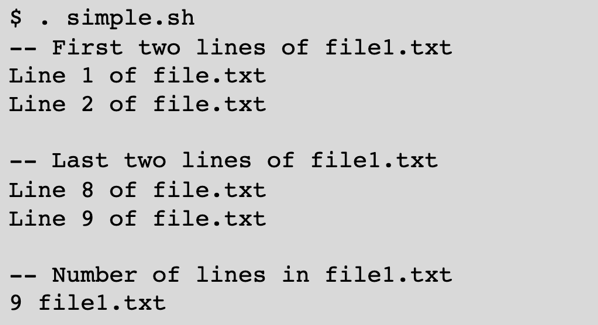
Shell scripts can be as simple as a list of Linux commands. The first (#! is pronounced “shebang”) defines the shell that will be used. It’s a good idea to set this, but if you forget, you’ll normally get the bash shell. Note that on Linux systems, /bin/sh is a symbolic link to bash.

Loops
Loops let you iterate over the items in a list. The list can be defined in multiple ways, including a whitespace separated set of items, wildcard expansion, or the backtick-captured output from executing a command. The alternative to backticks is $( ).



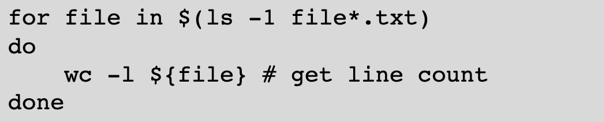
All four versions produce the same output (assuming the directory contains file[123].txt):

Iterating Over a Range of Numbers
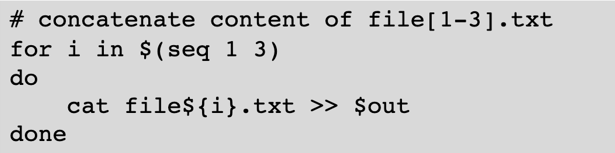
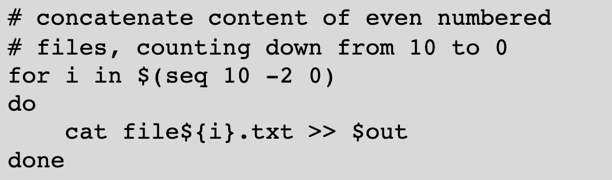
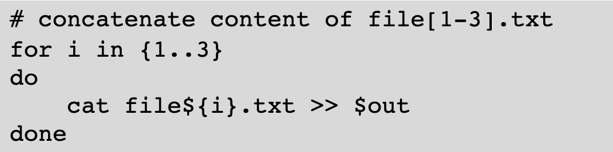
If you need to iterate over a range of numbers, you can use one of two approaches: the seq command or curly bracket notation. Note that if you define a stride, it is the second argument for the seq command, but the third argument for curly bracket notation.

Command Line Arguments
Shell scripts can accept command line arguments, with $1, $2, $3… storing the first, second third… arguments ($0 stores the name of the script). Using command line arguments can make your scripts much more flexible.
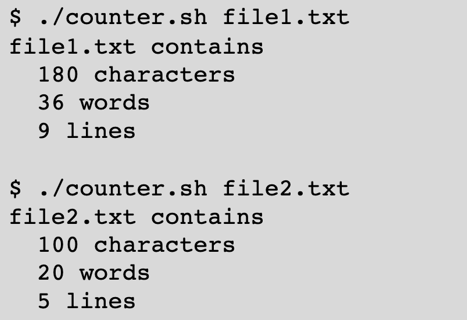
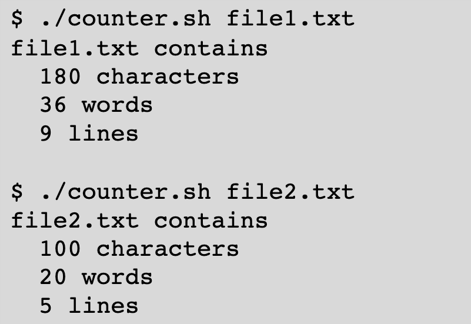
Example script and output:
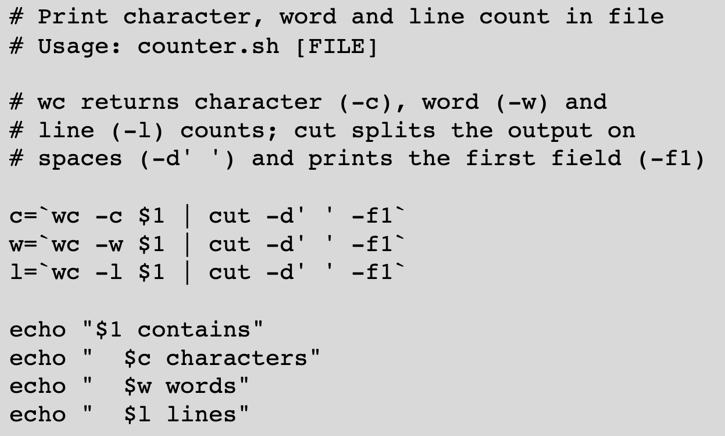
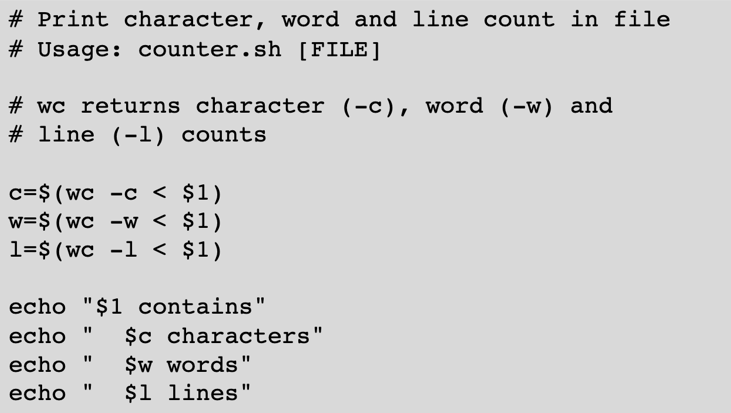
This next script is the same as the previous example, except that we used indirect redirection to simplify capturing the character, word, and line counts, and we use $( ) in place of backticks.
Conditional Statements
Here is the formatting for a simple IF construct. Shell scripts are very picky about required white space around brackets:
if [ TEST ]; then
    -- statements --
fi
IF-ELSE construct:
if [ TEST ]; then
    -- statements --
else
    -- statements --
fi
IF-ELIF-ELSE construct (note that each elif test must be followed by ; then):
if [ TEST1 ]; then
    -- statements --
elif [ TEST2 ]; then
    -- statements --
else
    -- statements --
fi
Variables containing numerical (integer) values can be compared using -lt, -le, -gt, -ge, and -eq.
if [ $1 -lt $2 ]; then
    echo "$1 is less than $2"
fi
if [ $1 -le $2 ]; then
    echo "$1 is less than or equal to $2"
fi
if [ $1 -gt $2 ]; then
    echo "$1 is greater than $2"
fi
if [ $1 -ge $2 ]; then
    echo "$1 is greater than or equal to $2"
fi
if [ $1 -eq $2 ]; then
    echo "$1 is equal to $2"
fi
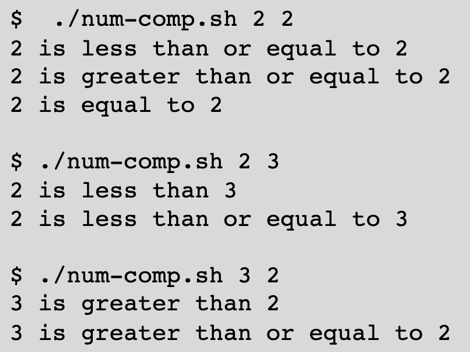
Example output:
Strings can be compared using ==, !=, \<, and \>, with the comparisons done using lexicographical (ASCII) order. Integer literals are treated as strings in this context.
if [ $1 == $2 ]; then
    echo "$1 is equal to $2"
fi
if [ $1 != $2 ]; then
    echo "$1 is not equal to $2"
fi
if [ $1 \< $2 ]; then
    echo "$1 is less than $2"
fi
if [ $1 \> $2 ]; then
    echo "$1 is greater than $2"
fi
Example output:
Summary
Learning intermediate Linux skills will help you to become a more effective user of advanced cyberinfrastructure. This tutorial provides you with the tools to customize your environment, automate tasks, and construct simple workflows.
While this tutorial covered most of what you should need to know, there are many resources on a wide range of topics in case you have to go deeper:
- Bash scripting cheat sheet: https://devhints.io/bash
- Advanced bash scripting: https://tldp.org/LDP/abs/html/index.html
- Forums and tutorials: https://www.linux.org/forums/